Teddy Bear Jigsaw Puzzle Collection - charming Teddy bears have become the favorite toys of many girls. This educational online game will offer kids to play with...
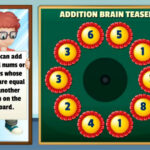
Addition Brain Teaser - A challenging math puzzle game where all you have to do is add all of the numbers on the board together. But there is a catch...
PUBG Surviver - Play Pubg Survivor Royal, one of the biggest, most fun, challenging and addicting adventure games. Shoot enemies and collect...
Talking Angela Coloring Book - Talking Angela Coloring Book is a virtual pet created by Slovenian studio Outfit7. Talking AngelaColoring Book feature pictures...
Dora the Explorer 4 Coloring - This is a wonderful coloring book for young children. It is worth paying attention to the easel, it already has a canvas...
2048 Puzzle Animals - 2048 is a beautiful and addictive sliding block numbers puzzle game. Merg numbers, create 2048 tile, win the game, and make...
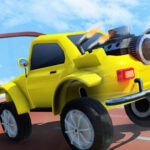
Car Driving Simulator – Stunt Ramp 2021 - Take control of amazing tuning cars and try to complete a mid-air track with 13 impossible checkpoints. Drive fast on the...
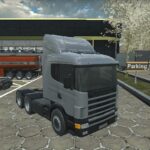
American 18 Wheeler Truck Sim - In the event that you love playing Truck Games, you are in for a treat. Load American 18 Wheeler Truck Sim Games 2021 is...
Slimoban is a variation of sokoban with slimes. But besides the boxes that you need to move, there are also monsters you can escape from or destroy with a fireball or by throwing them into the water. There are three types of slimes in the game: the green ones just stand still, they cannot be destroyed with a fireball, but they can be pushed into the water. Blue slimes chase the main character and they can be destroyed with a fireball and thrown into the water just like the green ones. Red slimes chase you and they can only be pushed in the water. Fireballs can also move blocks. If blocks fall into the water they destroy both the water and themselves. Some slimes do the same, others just get drowned. Fireball magic bottles and keys can sink as well. The game has 30 levels. Movings - arrows WASD screen buttons Idle - space idle button Shoot - click tap

















 Loading...

